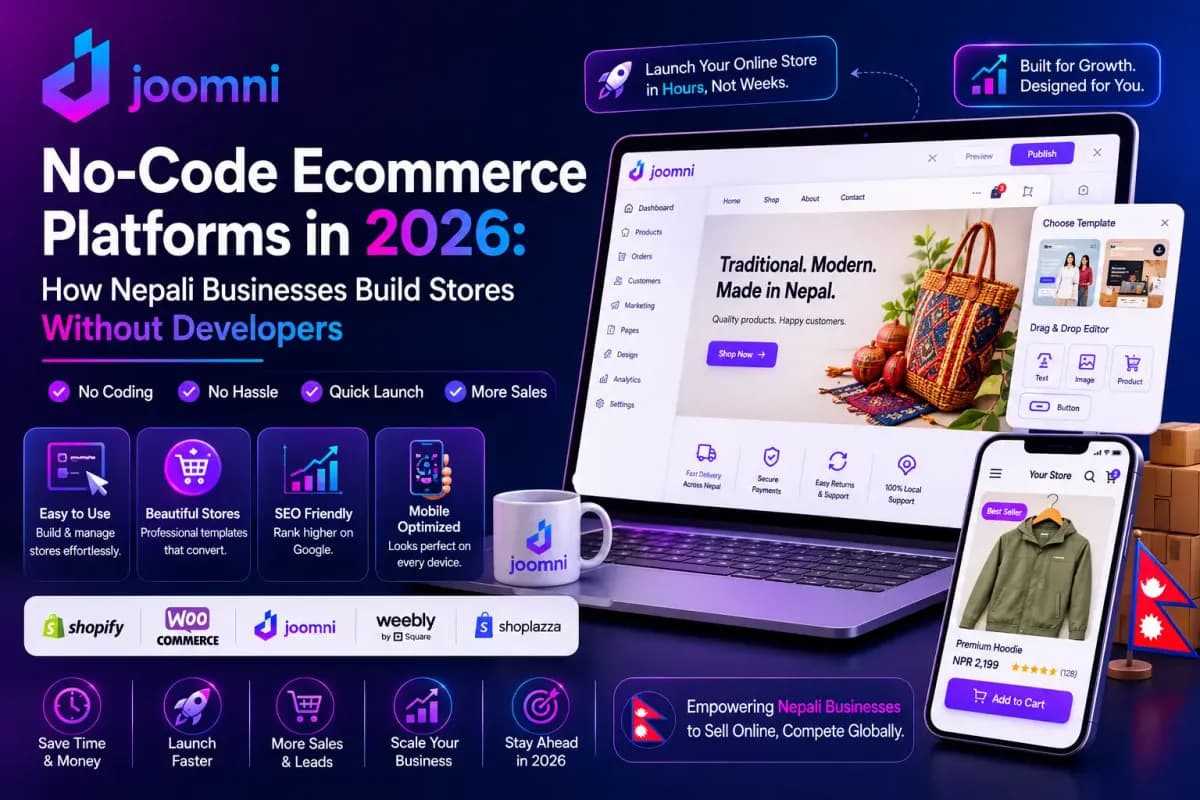
The barrier to entry for ecommerce has collapsed.
In 2026 you do not need a computer science degree, a development team, or a large budget to launch a professional online store. No-code platforms have put store-building tools in the hands of anyone with an internet connection and a product to sell.
For a Nepali business this matters more than it does almost anywhere else. The traditional route here meant paying a developer tens of thousands of rupees, waiting weeks for a first draft, then paying again every time you wanted to change a price. That model kept most small businesses off the internet entirely.
It no longer applies. This guide covers how no-code platforms work, what to look for if you are selling in Nepal specifically, and how to choose between the options without wasting money on the wrong one.
What's in this guide
- What a no-code platform actually is
- Why this matters particularly in Nepal
- The features that matter
- What to check before you commit
- The main options
- Building your store, step by step
- Common challenges
- Common mistakes
- Frequently asked questions
What a No-Code Platform Actually Is
A no-code ecommerce platform is a visual builder that lets you create, customise, and run an online store without writing any code. You work in a drag-and-drop editor, choose from pre-built templates, and the platform handles the technical machinery behind the scenes.
Traditional development requires HTML, CSS, JavaScript, a backend language, and database management. A no-code platform abstracts all of it away. You focus on your products, your design, and your customers rather than on syntax.
What you get out of the box
Visual page builder. Add product galleries, carts, payment buttons, and forms by clicking and positioning rather than coding.
Templates. Professionally designed layouts built for conversion and mobile, spanning most industries.
Built-in ecommerce. Cart, checkout, inventory, order tracking, shipping rules, and tax handling, with no plugins to assemble.
Payment integration. Connections to payment gateways already configured.
Hosting and security. Hosting, SSL certificates, security patches, and performance handled for you. No servers to manage.
Mobile responsiveness. Automatic, which matters enormously here since almost all your traffic will arrive on a phone.
How this compares to hiring a developer
Skills required. Traditional: several programming languages. No-code: none.
Setup time. Traditional: weeks to months. No-code: hours.
Cost. Traditional: a large one-off payment plus ongoing support. No-code: a predictable subscription. Our full cost breakdown for Nepal compares both honestly, including the cheapest possible route.
Maintenance. Traditional: you or your developer. No-code: the platform.
Customisation. Traditional: unlimited, at a price. No-code: extensive within the platform's boundaries.
Why This Matters Particularly in Nepal
Most articles on this topic are written for markets where every business already has a website and the question is which one to upgrade to. Nepal is different in three ways that change the calculation.
Most businesses here have no website at all. They run on a Facebook page and a WhatsApp number. That means the choice is usually not "which platform do I migrate to" but "do I get online at all," and the answer to that has become much easier.
The payment problem is the real blocker. International platforms are built around Stripe, PayPal, and Square. None of those are the payment methods your Nepali customers use. What matters here is eSewa, Khalti, Fonepay, ConnectIPS, and above all cash on delivery, which still carries the majority of orders in this market. A platform that handles those natively saves you the workarounds that sink most Nepali stores built on international tools.
Billing currency is not a detail. A subscription priced in USD means card friction, exchange rate exposure, and a cost that moves independently of your revenue. Paying in NPR removes all three.
The Features That Actually Matter
Modern platforms bundle a lot. These are the parts that make a real difference.
AI assistance
This is the biggest change since the last generation of builders.
Product description generation from basic specifications, which saves hours on a catalogue of any size. Our guide to writing product descriptions that rank covers what to add to those drafts so they earn search traffic.
Page building from plain-language instructions. Describe what you want and the AI produces a starting layout.
Customer service assistants that answer common questions around the clock, which matters in a market where a slow reply loses the sale.
Inventory and sales insight that flags what is selling and what is about to run out.
Our roundup of AI tools for Nepali online stores covers this landscape in more depth.
Marketing tools
Automated messaging. Welcome sequences, abandoned cart recovery, and post-purchase follow-up. In Nepal these matter most on Viber, WhatsApp, and SMS rather than email, which we cover in messaging automation.
SEO controls. Title tags, meta descriptions, alt text, structured data, and sitemaps, editable without touching code. See SEO settings.
Discounts and promotions. Coupon codes, free shipping thresholds, and time-limited sales, which matter enormously around Dashain and Tihar.
Analytics. Revenue, traffic sources, conversion, and best sellers in one dashboard.
Selling across channels
The strongest stores sell in more than one place from a single inventory: your website, social platforms, marketplaces like Daraz, and in person through a point of sale system that keeps online and shop-floor stock in agreement.
On the marketplace question specifically, we covered the trade-offs in Daraz vs your own website.
Security handled for you
SSL, PCI-compliant payment flows, fraud detection, backups, and DDoS protection are included as standard rather than being things you have to source and configure. Implementing these yourself requires real expertise.
What to Check Before You Commit, in Nepal
This is the section international guides cannot write for you. Run every platform you are considering through these questions.
Does it support eSewa, Khalti, Fonepay, and ConnectIPS natively? Not "via a third-party app" or "with custom development." Natively. If the answer is no, budget for a developer, which defeats the point.
Does it handle cash on delivery properly? COD needs to be a real payment method with order management behind it, not a note in the checkout form. Most Nepali orders still arrive this way.
Is billing in NPR? USD billing means card friction and a cost that moves with the exchange rate.
Can it work with local delivery partners? Pathao, Lalamove, and national couriers like SRS Express cover most of what you need.
Does support run on Nepal time, in a language you are comfortable in? A support ticket answered fourteen hours later is a day of lost sales.
Does it load fast on Nepali mobile data? Test it. Not on office wifi, on 4G, on a mid-range Android phone.
Can you export your data and leave? Ask before you sign up, not after. Any platform that makes this hard is telling you something.
Our guide to payment gateway setup covers what a proper Nepali payment configuration looks like.
The Main Options
Platforms built for Nepal
The category that did not exist a few years ago: hosted platforms built specifically for this market, with local payment gateways integrated by default, NPR billing, and support that understands the local landscape.
Joomni is in this category. eSewa, Khalti, Fonepay, and COD work out of the box, AI drafts your pages and product content, and hosting, SSL, and maintenance are inside the subscription rather than separate line items. Plans are on the pricing page.
The honest trade-off: a platform built for one market has a smaller app ecosystem than Shopify's and less low-level control than a self-hosted WooCommerce install. If you need a very specific third-party integration, check it exists before committing.
Best for: businesses selling primarily in Nepal, anyone who wants to launch quickly, and anyone without a developer to call.
Shopify
The most widely used hosted platform globally, with the largest app ecosystem and genuinely excellent documentation.
The Nepal problem: local wallet support requires third-party workarounds, billing is in USD, and support does not run on your timezone. We covered this in detail in Shopify in Nepal.
Best for: businesses selling substantially to international customers, or anyone who needs a specific app that only exists in Shopify's ecosystem.
WooCommerce on WordPress
The software is free and the flexibility is total. It powers a large share of independently owned stores worldwide.
The honest version: "free" describes the plugin, not the project. You are responsible for hosting, security updates, plugin conflicts, backups, and performance. Most people either learn those skills or pay someone, and that ongoing cost is where WooCommerce budgets overrun. It is also the least no-code option on this list despite frequently appearing on these lists.
Best for: businesses with technical confidence or an existing developer relationship, and content-heavy stores where WordPress's publishing tools genuinely help. Full comparison in WordPress and WooCommerce in Nepal.
Wix and Squarespace
Both are strong on design, with genuinely excellent visual editors, and both suit portfolio-plus-shop businesses well.
The Nepal problem: the same as Shopify's, plus weaker capability at larger catalogue sizes. See Wix in Nepal.
Best for: design-led brands, creative professionals, and service businesses with a small product range.
How to actually choose
Ignore feature-count comparisons. Answer three questions:
- Where are your customers? Mostly Nepal points strongly toward a platform with local payments built in. Substantially international opens up the global options.
- Do you have technical help? No developer means avoid self-hosted.
- What are you selling? A large catalogue needs different things from ten handmade products.
Then take free trials on two options and spend two hours in each. The one that feels workable after two hours is usually the right answer.
Building Your Store, Step by Step
Step 1: plan first (1 to 2 hours). Decide what you are selling, who buys it, and why they would choose you over Daraz or a local shop. Stores with a clear niche consistently outperform those trying to serve everyone. Our guide to starting an online store in Nepal covers this properly.
Step 2: choose your platform (30 minutes). Run your shortlist through the Nepal checklist above.
Step 3: set up (2 to 4 hours). Create your account, connect your domain, pick a template, add your logo and colours, and build your essential pages: About, Contact, Shipping, Returns.
Step 4: connect payments. eSewa, Khalti, and cash on delivery at minimum. Add Fonepay and ConnectIPS if your customers use them. This is the step most stores get wrong, and it is the one that decides whether anyone can buy from you.
Step 5: add products. Start with five to ten, not two hundred. Good photos in natural light, benefit-led descriptions, clear prices, and accurate stock levels. Catalogue setup covers the mechanics.
Step 6: design for mobile (3 to 6 hours). A homepage with a clear value proposition, simple navigation, product pages with large images and real detail, and a checkout with as few fields as you can manage. Check every page on a phone.
Step 7: test before launch (2 hours).
- Complete a full test purchase yourself
- Confirm every payment method appears and works
- Check email and SMS notifications fire correctly
- Test on an actual phone on mobile data
- Proofread everything
- Verify shipping charges and delivery times are stated clearly
Step 8: launch and promote. Submit your sitemap to Google Search Console, claim your Google Business Profile, tell everyone you know, and start posting. Our marketing channels guide covers where to spend from there.
Our first launch documentation walks through the whole sequence.
Common Challenges and What to Do About Them
Platform limitations. Every no-code platform has boundaries. Research capabilities before committing rather than after. In practice, standard features cover the overwhelming majority of what a store needs, and perfect customisation is not a requirement for success.
Template similarity. Popular templates appear on many stores. Customise the colours, fonts, and spacing, use your own photography rather than stock images, and develop a distinct voice in your copy. Customers care about your products and service, not template originality.
App overload. Start with none and add only when a real need appears. Each addition costs money and adds complexity. Two to five is typical for a healthy store.
Mobile performance. Test on real devices, compress images aggressively, and minimise tracking scripts. Aim for under three seconds on mobile data.
SEO takes time. Launching does not generate traffic. Target long-tail keywords, write genuine buying guides, and optimise every product page. Our complete SEO guide covers the method. Expect three to six months for organic traffic to matter, and use paid channels and social in the meantime.
Traffic without sales. Simplify checkout, add trust signals and reviews, improve your photography, state shipping costs early, enable guest checkout, and always offer cash on delivery.
Common Mistakes to Avoid
- Overcomplicating the launch. Ship with core features and improve from real feedback.
- Ignoring mobile. Nearly all your traffic is on a phone. Test on real devices.
- Weak product photography. Online, your photos are your product.
- Copied supplier descriptions. Duplicate content that differentiates nothing.
- Hidden shipping costs. Surprise charges at checkout are among the top reasons carts get abandoned.
- Not collecting customer contacts. Your customer list is the asset you keep whatever happens to any platform.
- Installing too many apps. Cost and complexity with no matching benefit.
- Skipping SEO. Paid traffic stops the day you stop paying.
- Slow replies. Nepali customers expect fast responses. Two days of silence means they bought elsewhere.
- Not offering cash on delivery. The single most common self-inflicted wound for new Nepali stores.
Frequently Asked Questions
Do I really need zero coding knowledge?
Correct. If you can use Word or a social media app, you can build a store on a modern no-code platform. The visual editors require no code at any step.
How long does it actually take to launch?
A basic functional store can be live in a few hours. A polished, fully customised one typically takes ten to twenty hours spread across a week or two, depending on catalogue size.
What does it cost to run?
A platform subscription plus a domain, and optionally a few paid extensions. Far less than hiring a developer, and with no extra charge each time you want to change something. See our pricing and the full cost comparison.
Can no-code stores handle high volume?
Yes. Cloud infrastructure scales with traffic automatically. The constraint on a growing store is almost always marketing, inventory, or fulfilment rather than the platform.
Do I own my store and my data?
You own your products, content, and customer information. You depend on the platform for hosting and infrastructure. Check the export process before you sign up, and treat any platform that makes leaving difficult as a warning sign.
What if I need a feature my platform does not have?
Check the app marketplace first, since someone has usually built it. Most platforms allow custom code for advanced cases. And be honest about whether you need it or just want it, because most stores succeed on standard features.
How do no-code stores compare for SEO?
Modern platforms produce clean, fast, mobile-friendly, properly marked-up pages. The difference between platforms is small. Your content, your product pages, and your links matter far more than which builder you chose.
Can I move to another platform later?
Yes, with effort. Product data usually exports as CSV and imports elsewhere. Content pages need rebuilding, and reviews and customer records are more complicated. Choose carefully but do not treat it as permanent.
Do I need to register a business first?
Not to build a store. But you will need registration to open eSewa and Khalti merchant accounts and a business bank account. Our guide to company registration for ecommerce in Nepal covers what is required.
What payment processing fees should I expect?
Nepali gateways charge a percentage per transaction with no monthly fee in most cases. Our payment fee calculator shows what you actually keep per order across different methods.
The Bottom Line
The barriers that kept Nepali businesses off the internet have largely gone. The cost barrier, the coding barrier, and increasingly the time barrier.
What remains is the part that was always the real work: knowing your products, serving customers well, and getting found. No platform does that for you.
Choose based on where your customers actually are and what they actually pay with, launch with five products rather than fifty, and improve from what real customers do.
Ready to build? Start with Joomni or compare plans.
Nepali ma padhna man cha? Hamro website kasari banaune guide hernuhos.
Written by
Admin